

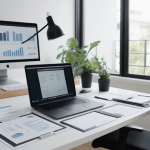







Home office remodel ideas post-remote work era to boost comfort, focus, and style. Smart layouts, lighting, storage, and tech tips.
Home office remodel ideas post-remote work era focus on comfort, productivity, and flexibility. The best designs blend ergonomic furniture, smart storage, calming colors, and tech-friendly layouts. These updates help you work better while making your space feel like home.
Have you ever noticed how your home office suddenly feels too small, too dull, or just not built for daily work anymore?
Here’s the truth. The post-remote work era has changed how we use our homes. A home office is no longer optional. It’s a daily workspace, a thinking zone, and sometimes even a meeting room. Remodeling it the right way can transform how you work and feel every day.
Home Office Remodel Ideas Post-Remote Work Era
Why Home Offices Matter More Than Ever 🏠
Remote work isn’t going away. Many people now work from home full-time or hybrid. That means your home office must support long hours without stress.
A poorly designed space causes fatigue. It kills focus and motivation. A remodeled office, however, improves productivity and mental health.
Think of your home office as an investment. It supports your career, income, and well-being.
Design For Flexibility First 🔄
Post-remote work life is unpredictable. Some days you need deep focus. Other days mean video calls or creative brainstorming.
Flexible design helps you adapt fast. Use modular furniture and movable shelves. Add rolling chairs and adjustable desks.
This approach keeps your space future-ready. You won’t need another remodel soon.
Choose The Right Location In Your Home 📍
Not every room works well as an office. Noise, lighting, and privacy matter more than size.
Look for a quiet corner with natural light. Avoid high-traffic areas like kitchens. Even a converted closet can work if planned smartly.
The goal is simple. Minimize distractions and maximize comfort.
Upgrade Ergonomics For All-Day Comfort 💺
Ergonomics is no longer optional. Long work hours demand proper support.
Choose a chair with lumbar support. Keep your screen at eye level. Your desk height should match your elbow level.
Small ergonomic changes prevent pain. They also boost energy and focus.
Ergonomic Essentials At A Glance
| Item | Why It Matters | Best Feature |
| Office Chair | Reduces back strain | Adjustable lumbar |
| Desk Height | Improves posture | Sit-stand option |
| Monitor Stand | Prevents neck pain | Adjustable angle |
Embrace Sit-Stand Desk Solutions 🧍
Sitting all day hurts your body. Standing all day isn’t great either. Balance is key.
Sit-stand desks let you switch positions. They improve circulation and reduce stiffness. Many people report better focus too.
This is one of the most valuable upgrades you can make.
Use Lighting That Supports Focus 💡
Bad lighting strains your eyes. It also drains energy fast.
Use layered lighting. Combine natural light, overhead lights, and task lamps. Choose warm white for comfort.
Position lights to avoid screen glare. Your eyes will thank you.
Soundproof For Distraction-Free Work 🔇
Noise kills concentration. Kids, traffic, or neighbors can ruin meetings.
Add rugs, curtains, or acoustic panels. Seal door gaps to block sound leaks. Even bookshelves help absorb noise.
A quieter space feels calmer and more professional.
Optimize Storage To Reduce Clutter 📦
Clutter creates stress. It also steals focus without you noticing.
Use vertical storage. Add floating shelves and drawer units. Hide cables with organizers.
A clean office feels lighter. Your mind follows your space.
Smart Storage Ideas That Work
| Storage Type | Best Use | Space Saved |
| Floating Shelves | Books & décor | High |
| Drawer Units | Files & tools | Medium |
| Cable Boxes | Wires & chargers | Small but powerful |
Choose Colors That Boost Productivity 🎨
Color affects mood more than people realize. Bright colors energize. Soft tones calm the mind.
Neutral shades work best for focus. Add color through décor or artwork. Avoid overwhelming patterns.
Your office should feel motivating, not distracting.
Add Greenery For Mental Balance 🌿
Plants improve air quality. They also reduce stress and eye fatigue.
Low-maintenance plants work best. Think snake plants or pothos. Even one plant helps.
Greenery adds life to your workspace. It softens the tech-heavy feel.
Integrate Tech The Smart Way 💻
Tech clutter ruins good design. Smart integration keeps things clean.
Use wireless accessories. Mount monitors on arms. Hide power strips.
A tech-ready office looks modern and works smoothly.
Create A Professional Video Call Setup 🎥
Video calls are part of daily work now. Your background matters.
Choose a clean wall or bookshelf backdrop. Add soft front lighting. Keep the camera at eye level.
You’ll look confident and polished every time.
Design Zones For Different Tasks 🧠
One desk can’t do everything. Zoning improves efficiency.
Create a main work zone. Add a reading or brainstorming corner. Even small spaces benefit from zones.
Each zone supports a different mindset. That’s powerful.
Task-Based Zoning Made Simple
| Zone | Purpose | Key Item |
| Focus Zone | Deep work | Main desk |
| Creative Zone | Ideas & planning | Whiteboard |
| Relax Zone | Breaks | Comfortable chair |
Personalize Without Overcrowding ✨
Your office should feel like you. Personal touches boost motivation.
Add framed photos or artwork. Use textures like wood or fabric. Keep it minimal.
Too much décor distracts. Balance is everything.
Plan For Long-Term Comfort 🕒
Think beyond today. Your needs will change.
Leave room for upgrades. Choose durable furniture. Avoid trendy layouts that age fast.
A future-proof office saves money and stress.
Conclusion
The post-remote work era demands smarter home office design. Comfort, flexibility, and focus now matter more than ever. By remodeling with purpose, you create a space that supports productivity and well-being. A better office leads to better workdays—every single time.
FAQs
What Are The Best Home Office Remodel Ideas?
The best ideas focus on comfort, ergonomics, and flexibility. Use proper lighting, storage, and furniture. Keep the space clean and adaptable.
How Do I Remodel A Small Home Office?
Use vertical storage and multi-purpose furniture. Choose light colors and good lighting. Even small upgrades make a big difference.
Is A Sit-Stand Desk Worth It At Home?
Yes, it improves posture and energy levels. Switching positions reduces pain. Many remote workers see productivity gains.
What Colors Are Best For A Home Office?
Neutral tones like beige or gray work well. Add color with décor. Avoid overly bright walls.
How Can I Reduce Noise In My Home Office?
Use rugs, curtains, and acoustic panels. Seal door gaps if possible. Even small changes help a lot.


